
Arbiter's Privilege
Arbiter Home Screen
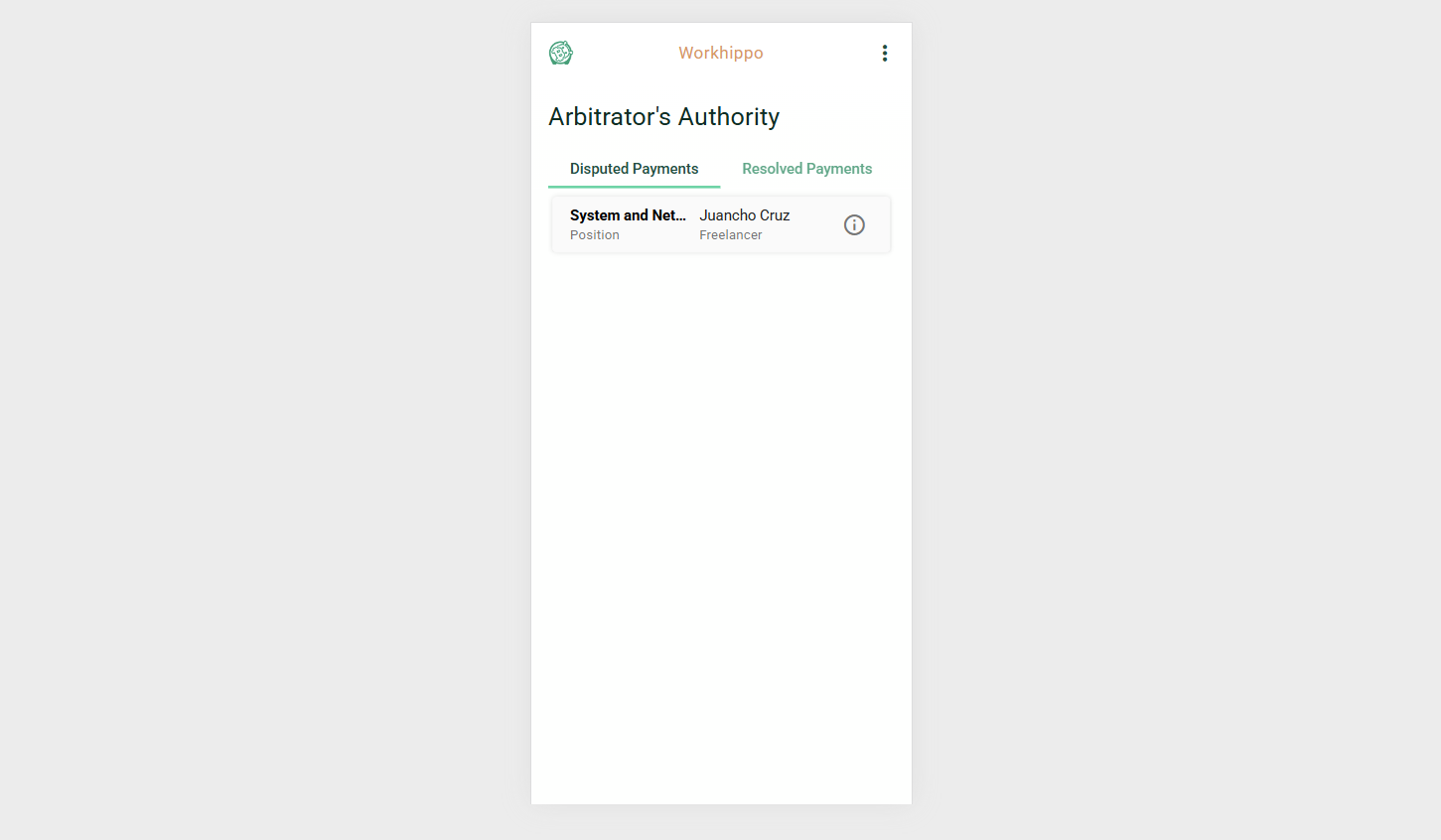
The Arbiter home screen provides an overview of payment disputes and resolutions, enabling the arbiter to manage payment conflicts efficiently.
Tabs
Disputed
- Displays a list of all disputed payment agreements.
- Clicking on a disputed payment redirects the arbiter to the Disputed Payment Details screen.
Resolved
- Displays a list of all resolved payment agreements.
- Clicking on a resolved payment redirects the arbiter to the Resolved Payment Details screen.
Screenshot:
Disputed Payment Screen
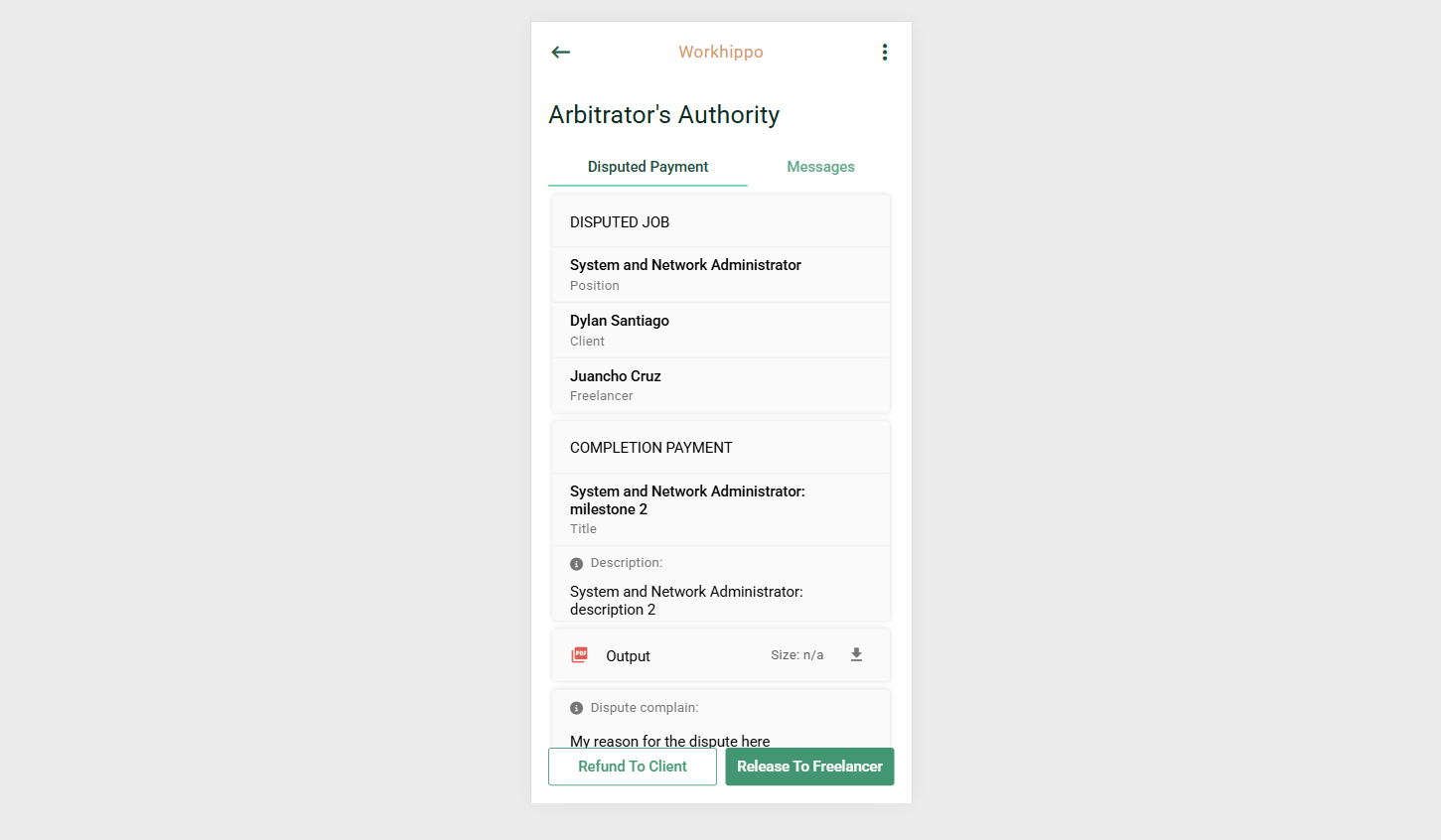
The Disputed Payment screen allows the arbiter to review dispute information, communicate with involved parties, and take final action on the payment.
Tabs
Disputed Payment
- Displays the complete details of the disputed payment agreement.
- Includes relevant information needed by the arbiter to assess the dispute (e.g., agreement terms, payment amount, milestones, and dispute context).
Release to Freelancer
- Initiates the process of releasing the disputed payment to the freelancer.
- Confirmation Dialog: A prompt appears asking the arbiter to confirm the release of payment before execution.
Refund to Client
- Initiates the process of refunding the disputed payment to the client.
- Confirmation Dialog: A prompt appears asking the arbiter to confirm the refund before execution.
Screenshot:
Messages
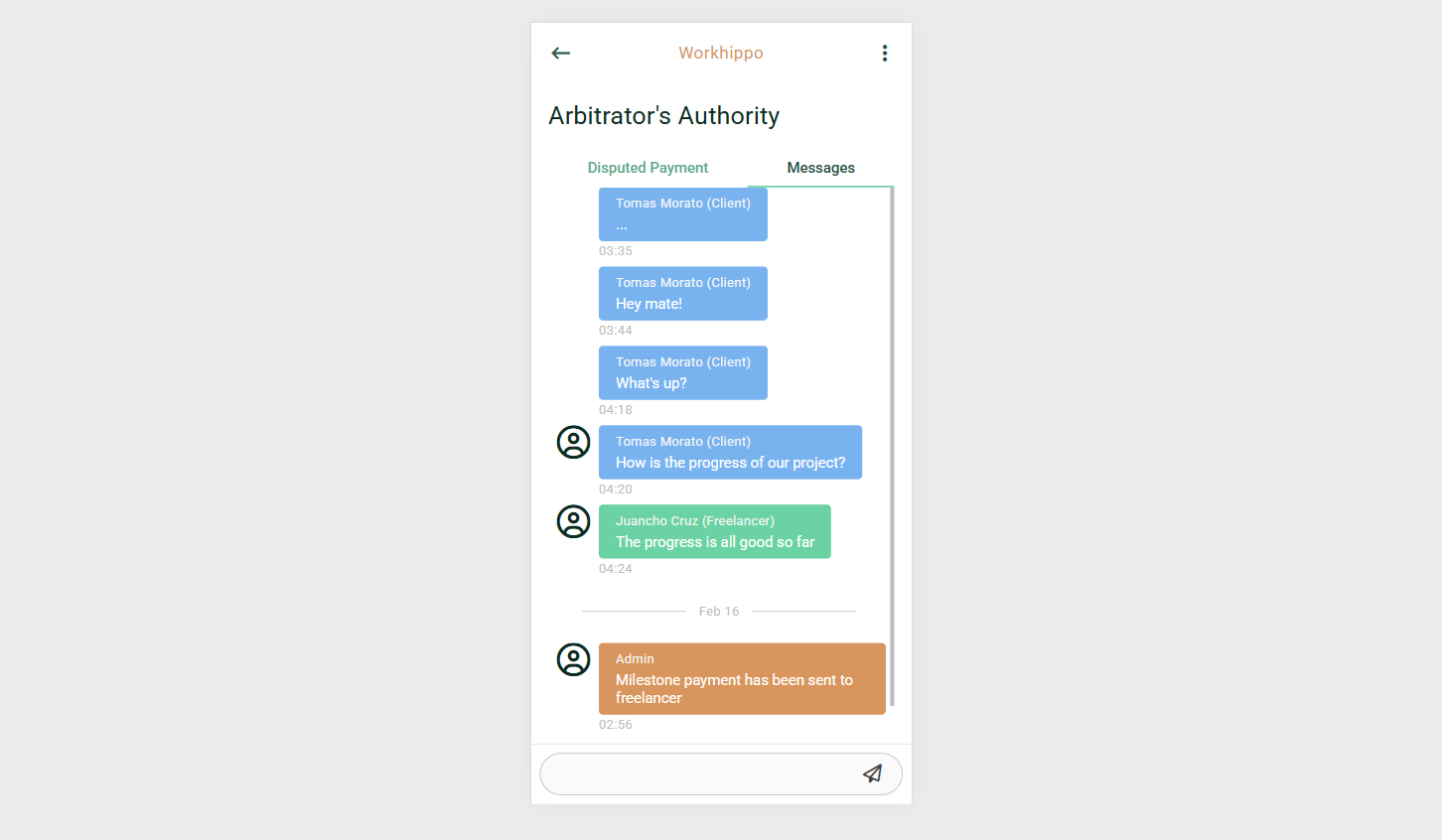
The Messages tab provides a centralized messaging board where communication between the client, freelancer, arbiter, and system administrator notifications are displayed.
Messaging Input:
- Messaging Input Form – Allows authorized users to send and receive messages related to the project.
Screenshot:
This structure ensures arbiters have a clear workflow for managing disputes, with intuitive navigation between disputed and resolved payments and safe confirmation steps for financial actions.