
Profile
The Profile section allows users to view, update, and showcase their personal and professional information. This area is designed to help users present a complete and credible profile to potential clients, collaborators, or employers.
Tabs
The Profile screen is divided into several tabs to organize user information efficiently:
General Profile
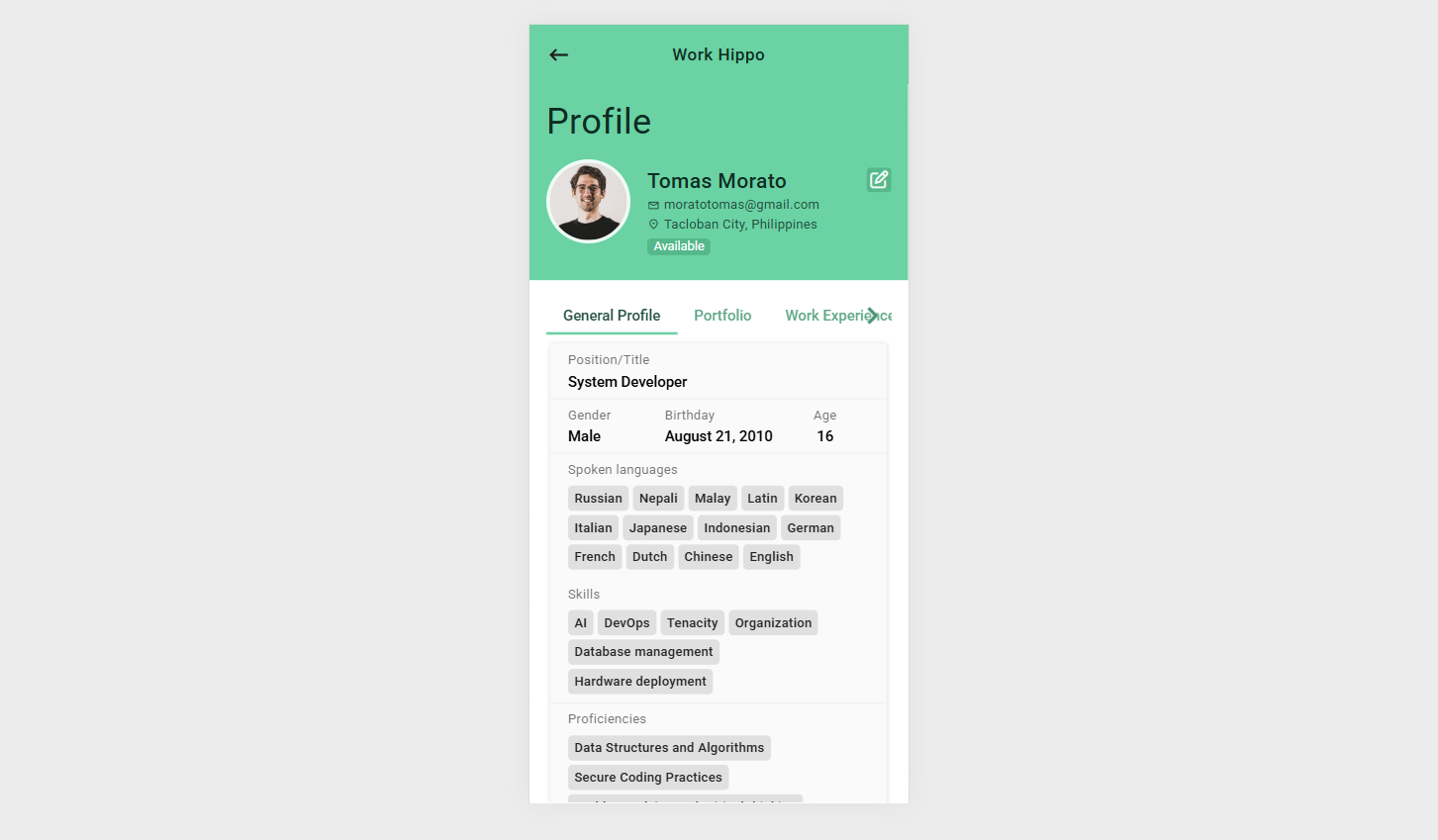
The General Profile tab contains user-specific personal and professional details that define the user’s identity and expertise within the platform.
Profile Information
The following information is displayed and managed in this section:
Title / Role
The user’s primary professional title or role (e.g., Web Developer, Graphic Designer, Project Manager).Gender
The gender information provided by the user.Birthday
The user’s date of birth.Age
Automatically calculated based on the user’s birthday.Spoken Languages
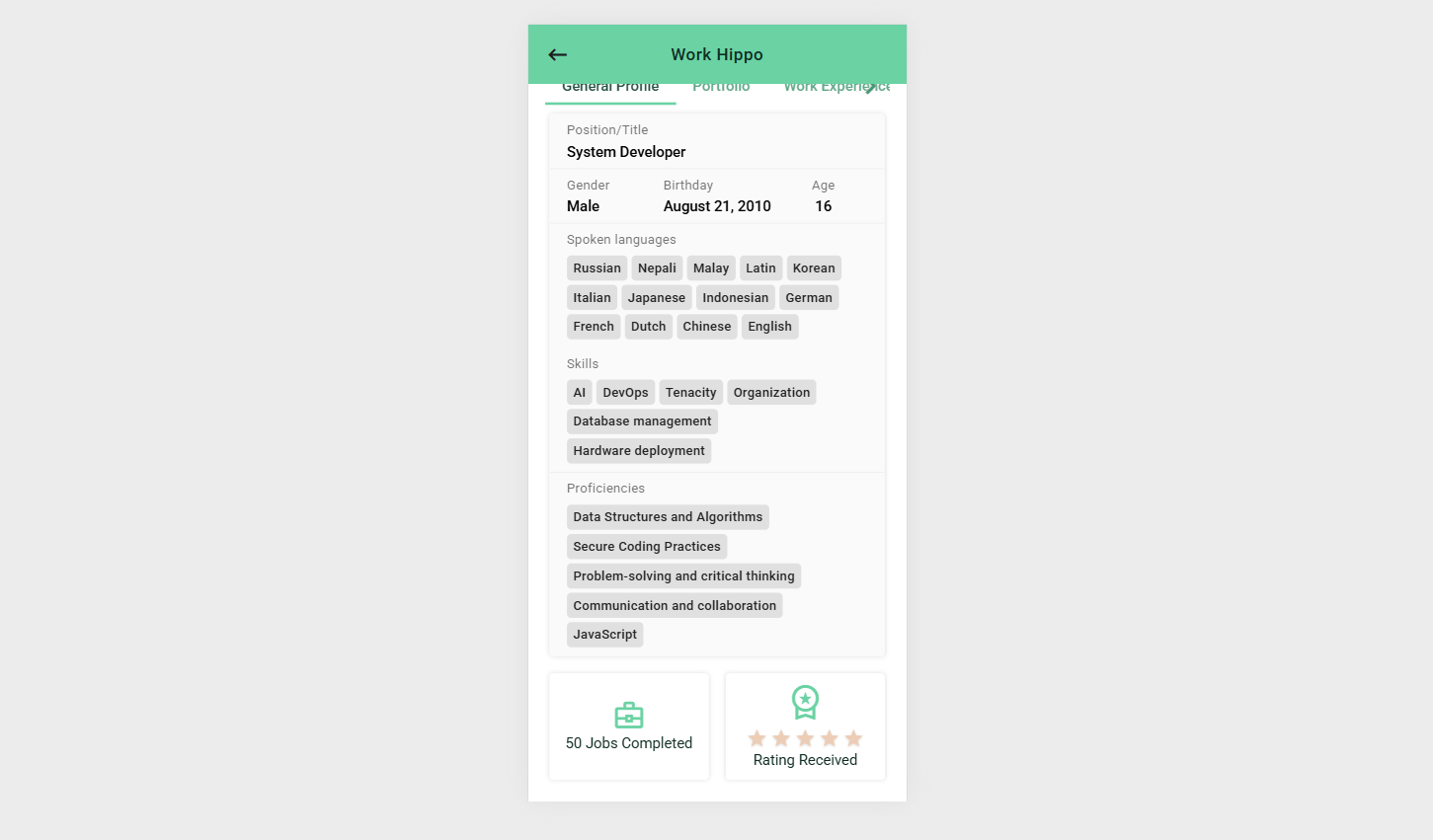
A list of languages the user can communicate in.Skills
The technical or professional skills the user possesses.Proficiencies
Skill proficiency levels or areas of specialization that indicate expertise.Number of Jobs Completed
The total count of successfully completed jobs or projects on the platform.Rating Received
The average rating received from clients based on completed jobs, reflecting overall performance and reliability.
Screenshot 1:
Screenshot 2:
Portfolio
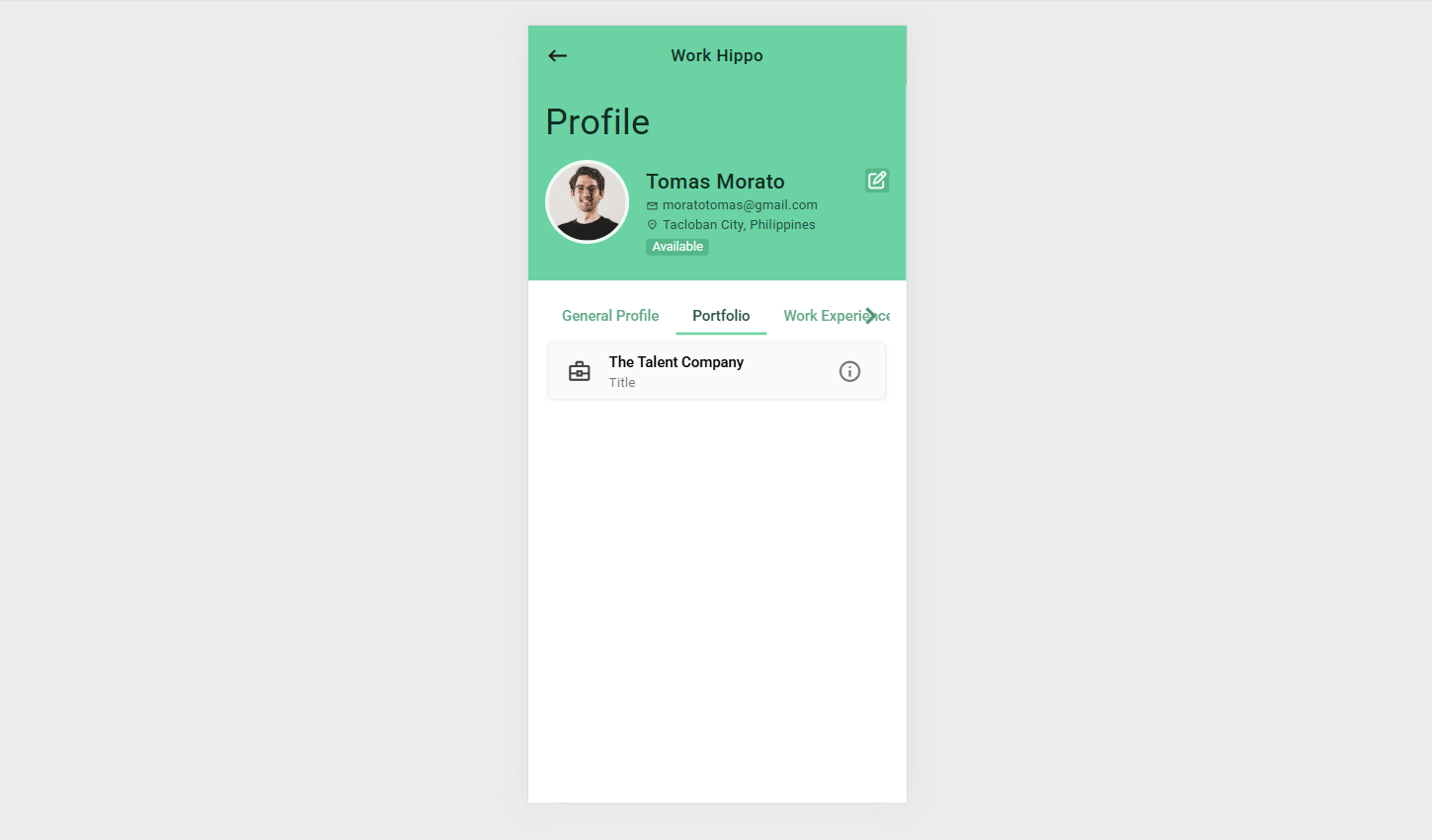
The Portfolio tab showcases a list of all successful projects the user has been involved in.
Each portfolio entry may include project details such as title, description, role, and outcomes, helping users demonstrate real-world experience and achievements.
Screenshot:
Work Experience
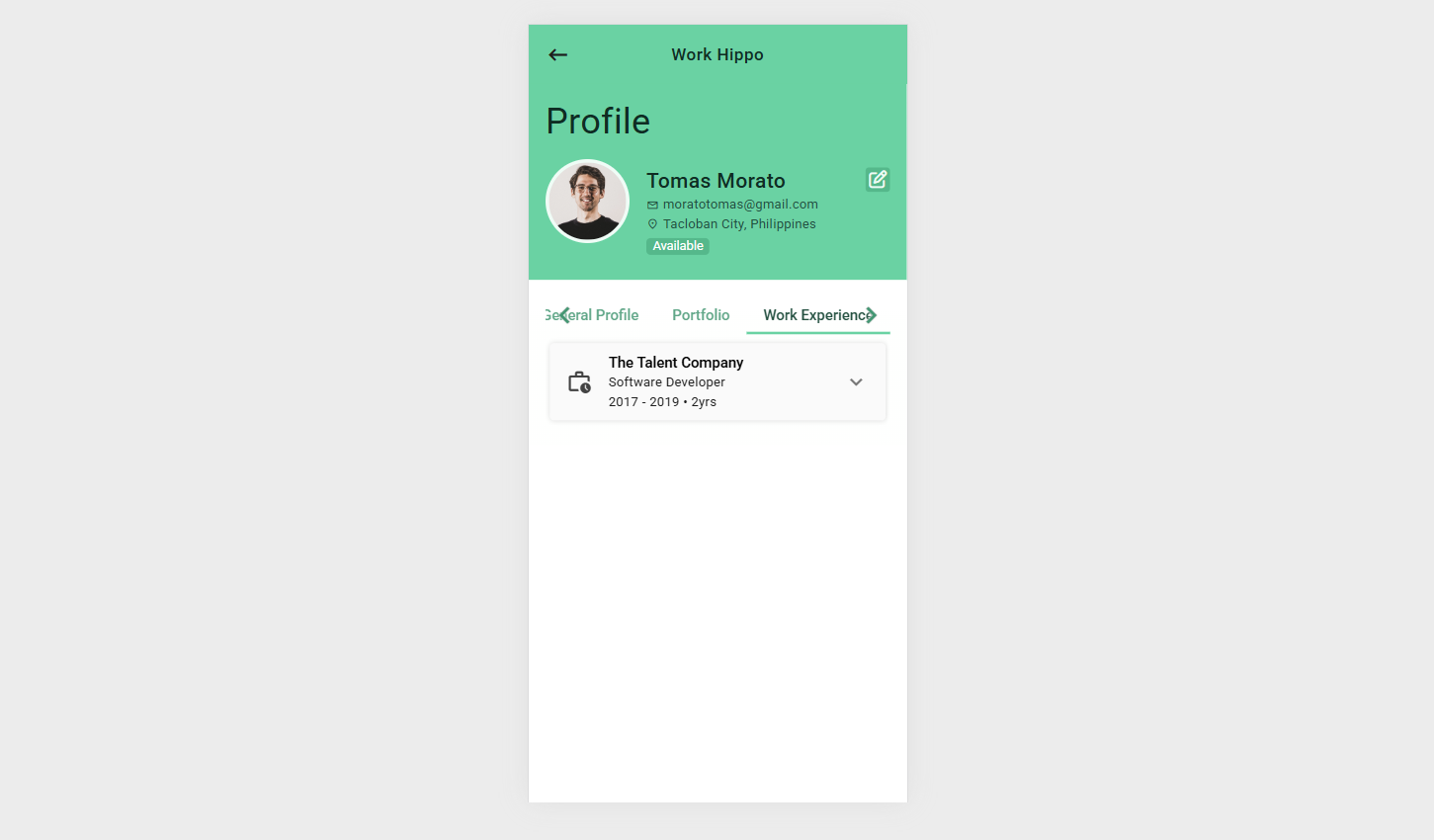
The Work Experience tab provides a detailed list of the user’s professional work history.
This section highlights previous roles, responsibilities, and durations, giving viewers insight into the user’s background and career progression.
Screenshot:
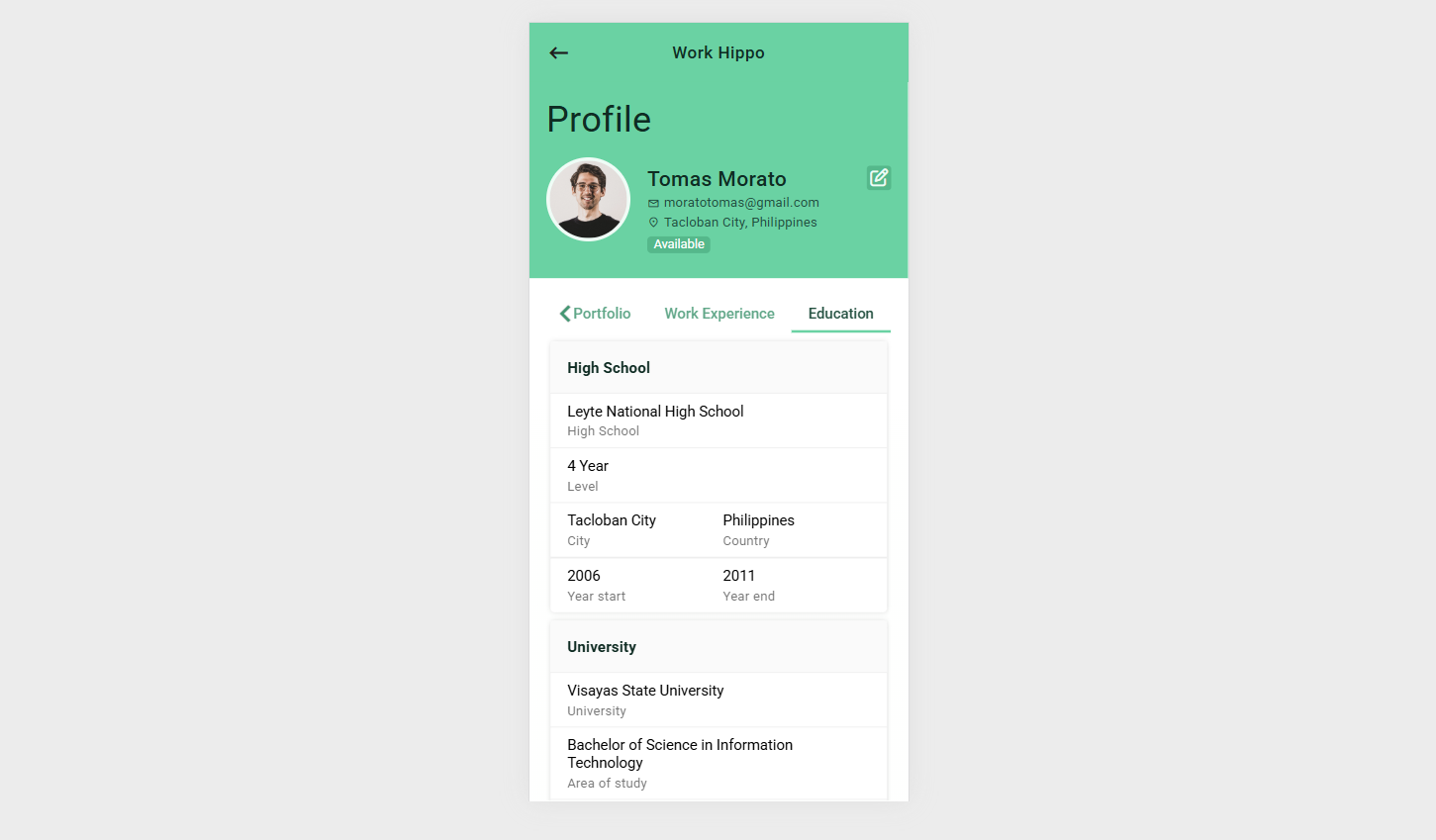
Education
The Education tab contains the complete details of the user’s educational background.
This may include institutions attended, degrees earned, fields of study, and relevant academic achievements.
Screenshot:
Navigation Button
Edit Profile
The Edit Profile button allows users to update or modify their profile information. Clicking this button redirects the user to the Edit Profile interface where all tabs and fields can be edited as needed.
The Manage Profile feature ensures users can maintain an up-to-date, professional, and trustworthy profile that accurately represents their skills, experience, and accomplishments.