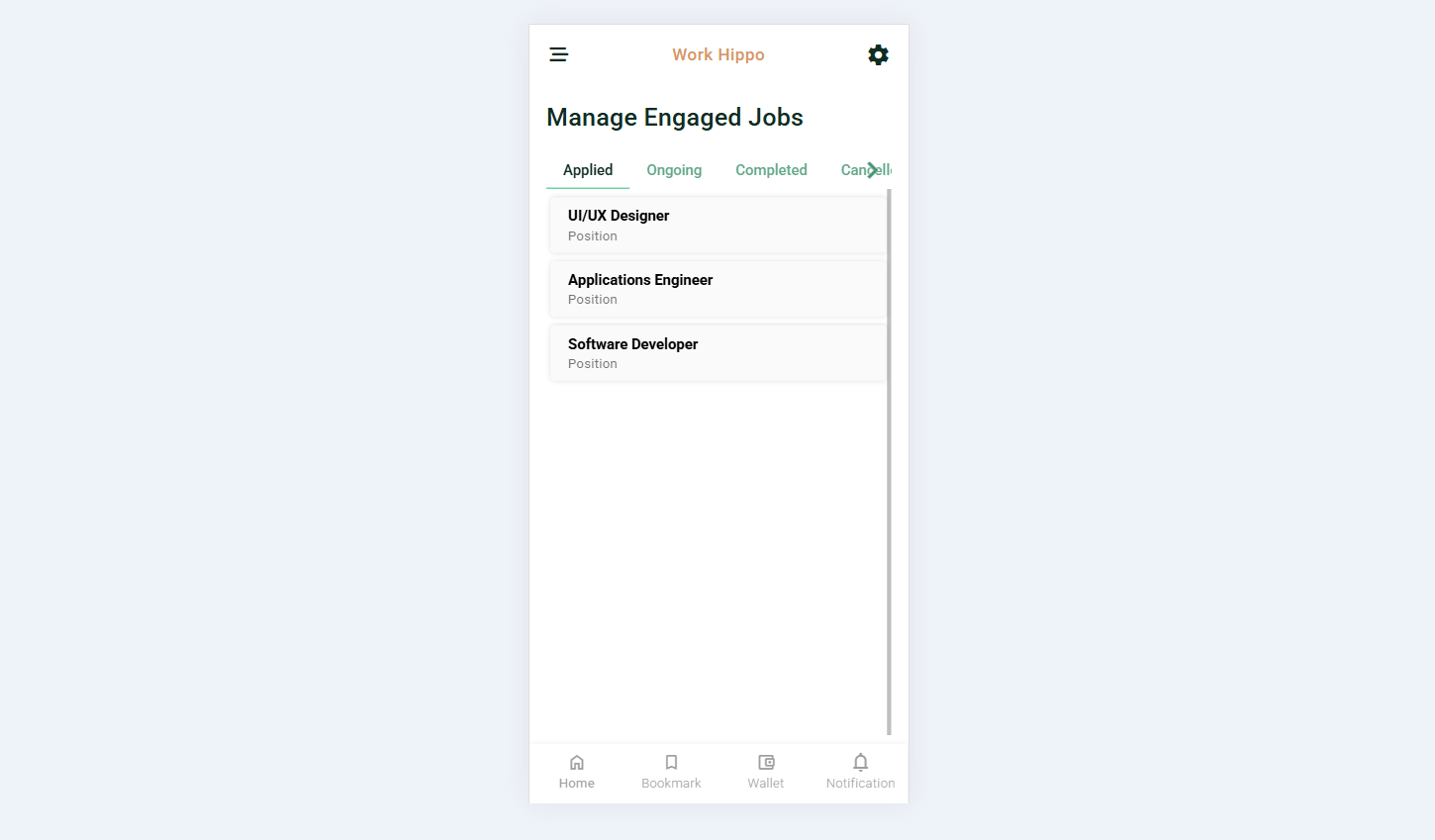
Manage Engaged Job
The Manage Engaged Job section allows users to track and manage all job posts they have interacted with as an applicant or hired worker. This area provides a clear overview of job engagement status through organized tabs, helping users easily monitor progress, history, and outcomes of their job applications.
Tabs Overview
Applied
The Applied tab displays a list of all job posts where the user has successfully submitted an application. This tab helps users keep track of pending opportunities and review jobs that are still under consideration by clients. Each job entry typically reflects the application status and relevant job details for reference.
Ongoing
The Ongoing tab contains all job posts where the user has been hired and is currently working. This section allows users to monitor active engagements, follow project progress, and manage ongoing responsibilities related to each job.
Completed
The Completed tab lists all job posts that the user has successfully finished. This serves as a historical record of completed work, enabling users to review past engagements, outcomes, and accomplishments.
Cancelled / Declined
The Cancelled / Declined tab shows all job posts that the user has either declined or were cancelled. This includes jobs the user chose not to proceed with or engagements that were terminated before completion. This tab helps maintain transparency and provides a complete view of all job engagement decisions.
Sceenshot: