
Onboarding
Overview
The onboarding process is designed to collect essential user information required to personalize the platform experience. The data gathered during onboarding varies depending on the selected user type (Client, Freelancer, or Arbiter).
Collected Information
General Information
These details are required for all user types:
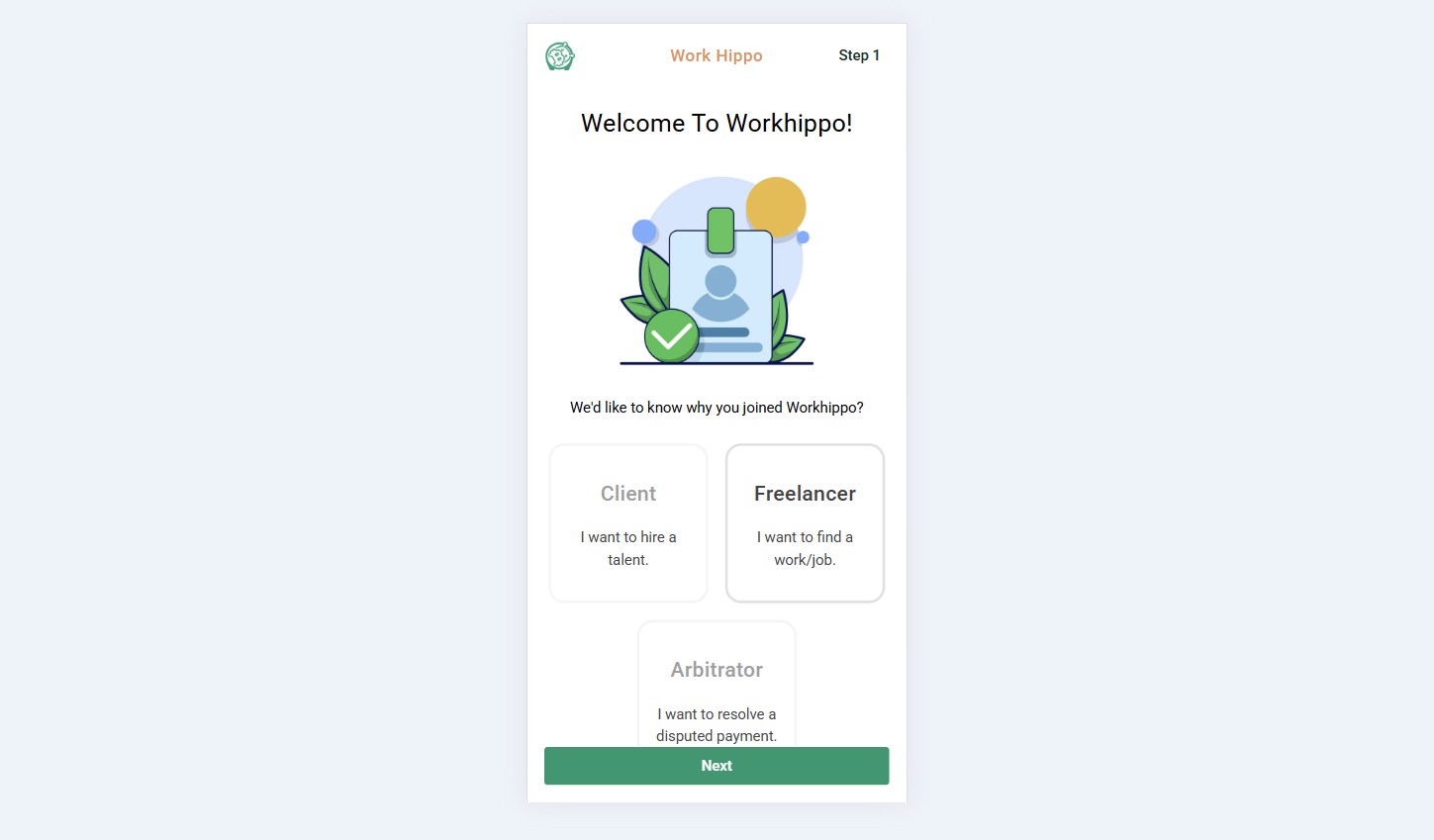
- User Type – Defines whether the user is a Client, Freelancer, or Arbiter.
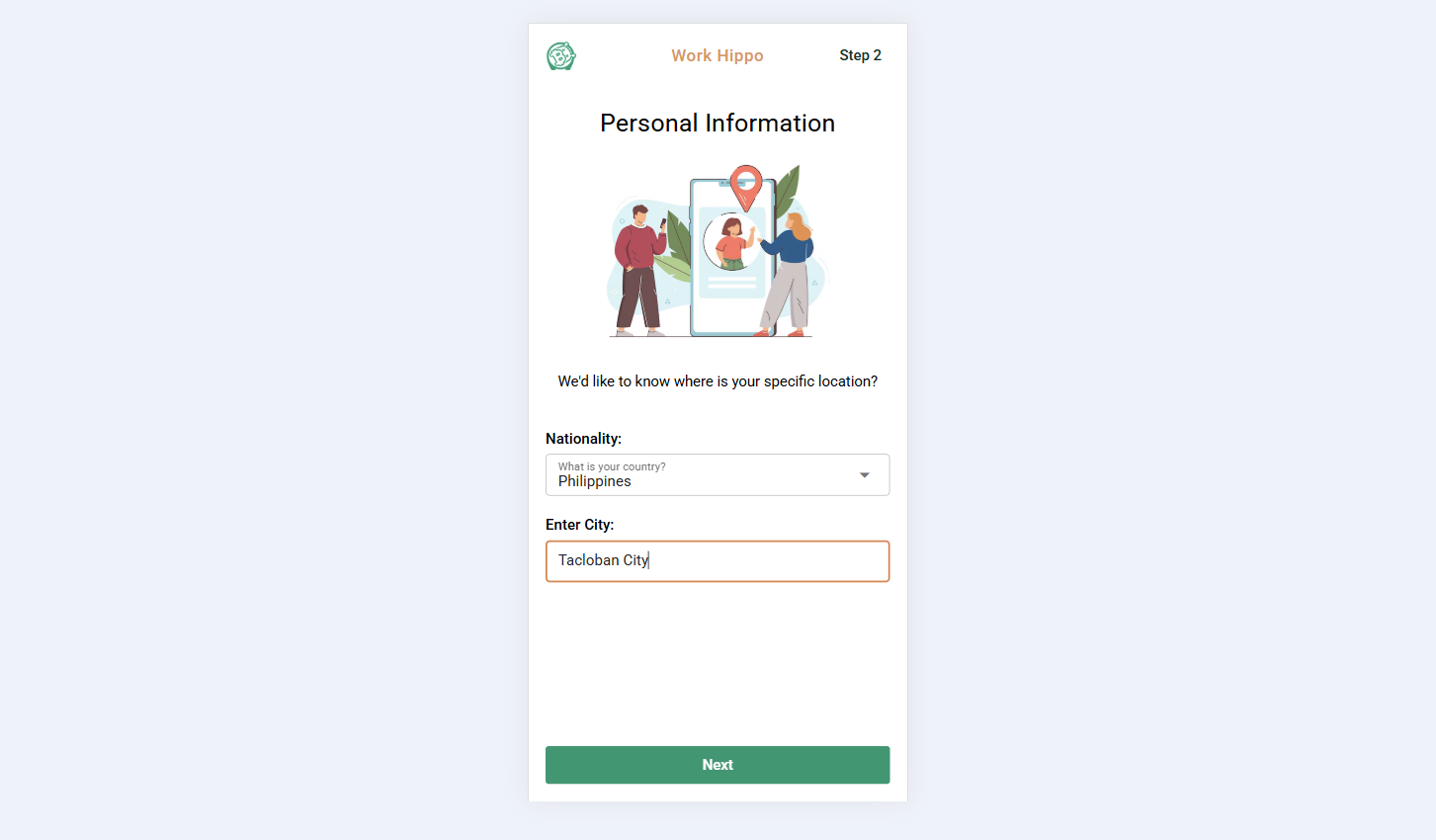
- Nationality / Country
- City
- Gender
- Birthday
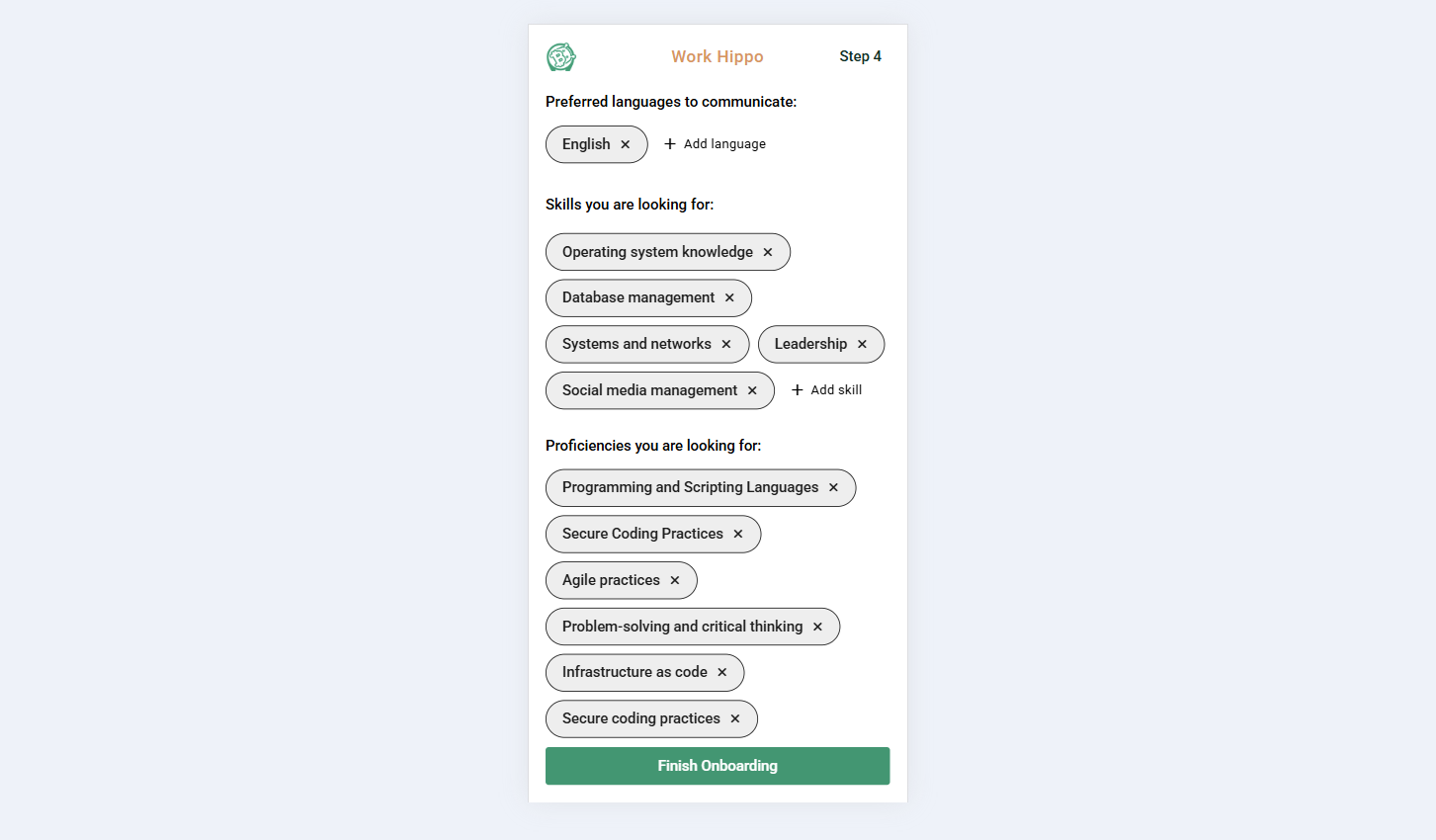
- Preferred Languages for Communication – Multiple selection allowed.
Screenshots:
Step 1:
Step 2:
Client-Specific Information
These inputs are required only if the user type is Client:
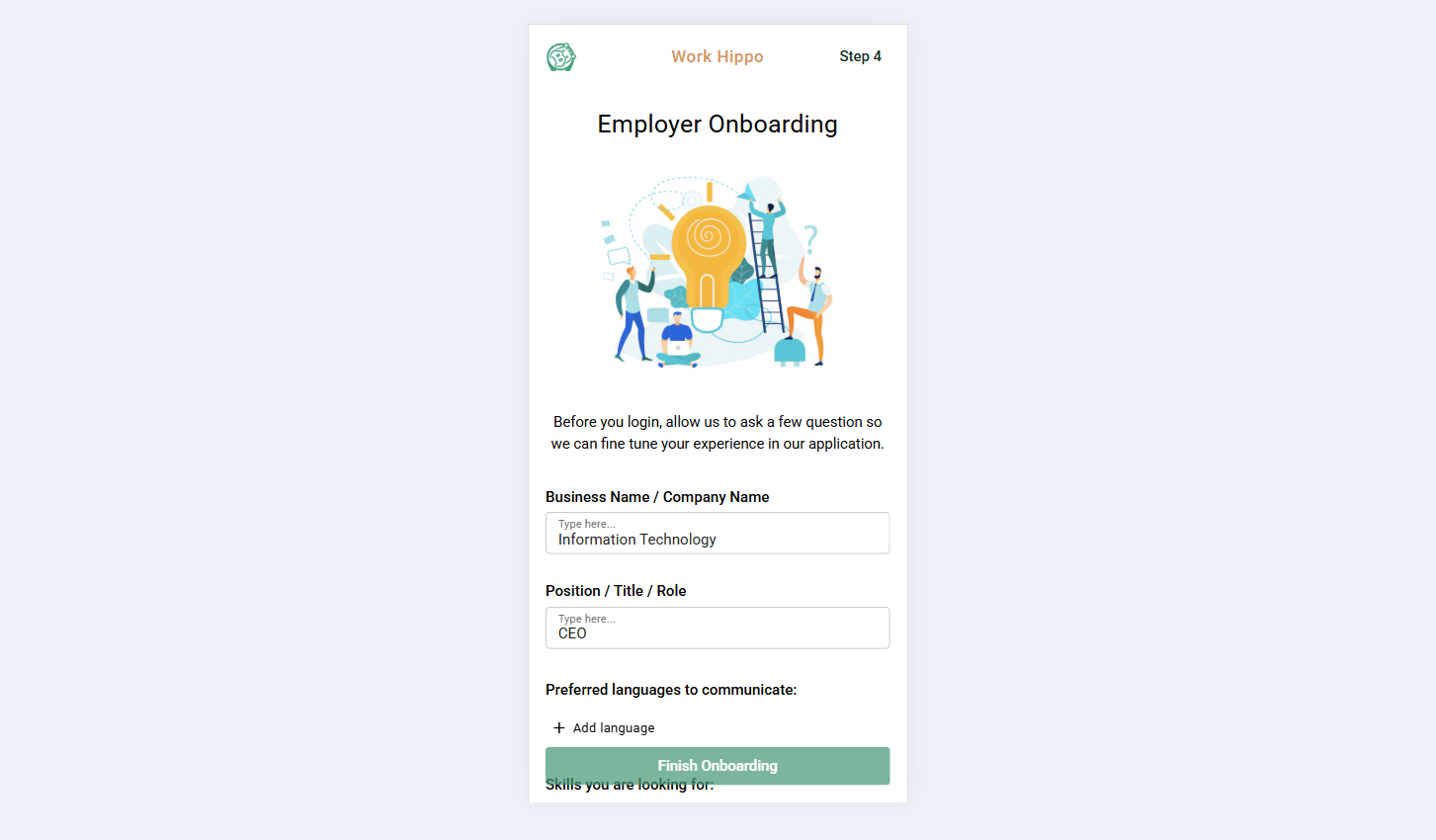
- Business Name
- Position
- Skills You Are Looking For – Multiple selection allowed.
- Proficiencies You Are Looking For – Multiple selection allowed.
Screenshots:
Step 4.1:
Step 4.2
Freelancer-Specific Information
These inputs are required only if the user type is Freelancer:
- Occupation
- Description of Occupation
- Skills You Possess – Multiple selection allowed.
- Proficiencies You Possess – Multiple selection allowed.
Screenshots:
Step 1
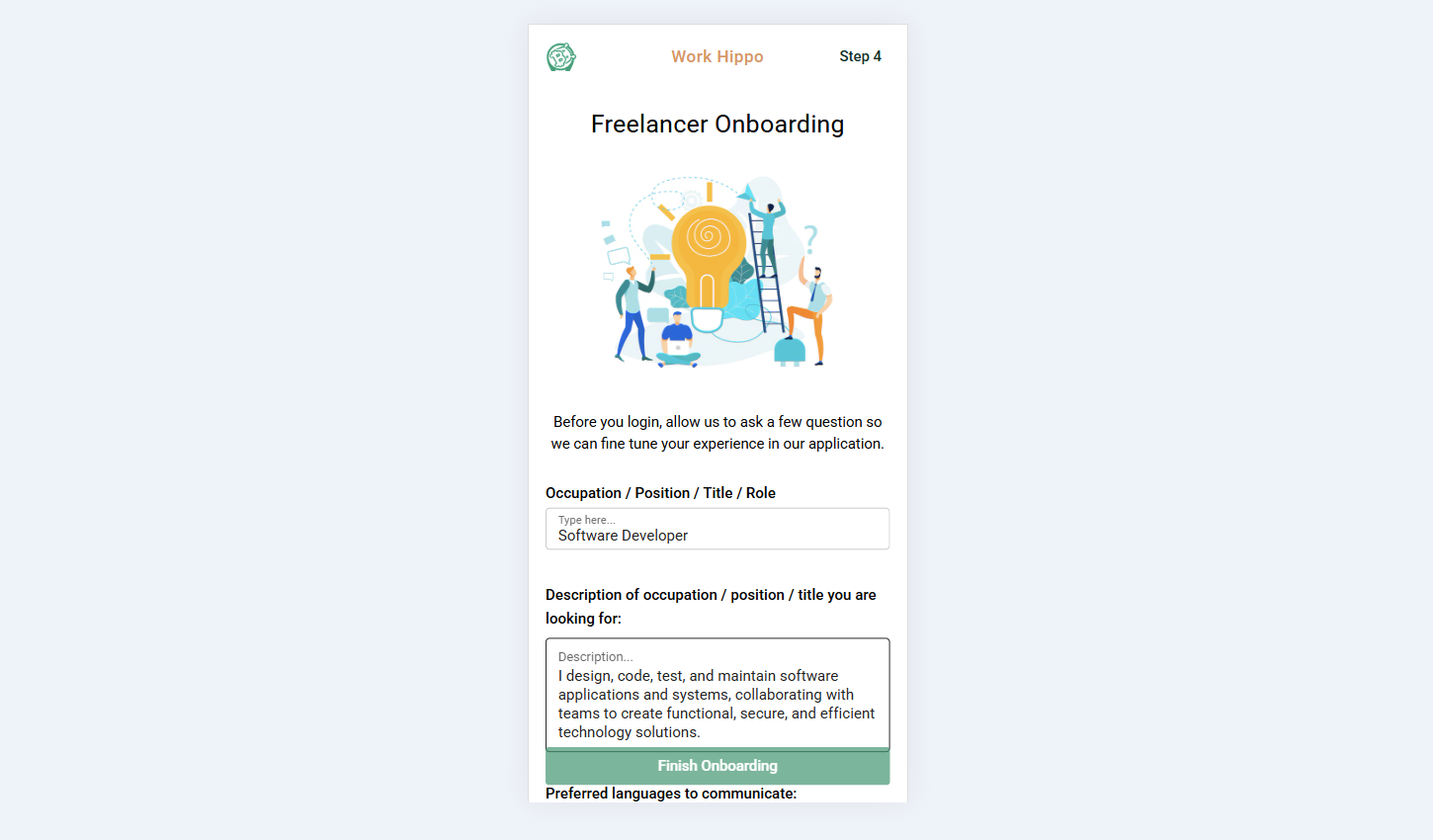
Step 2
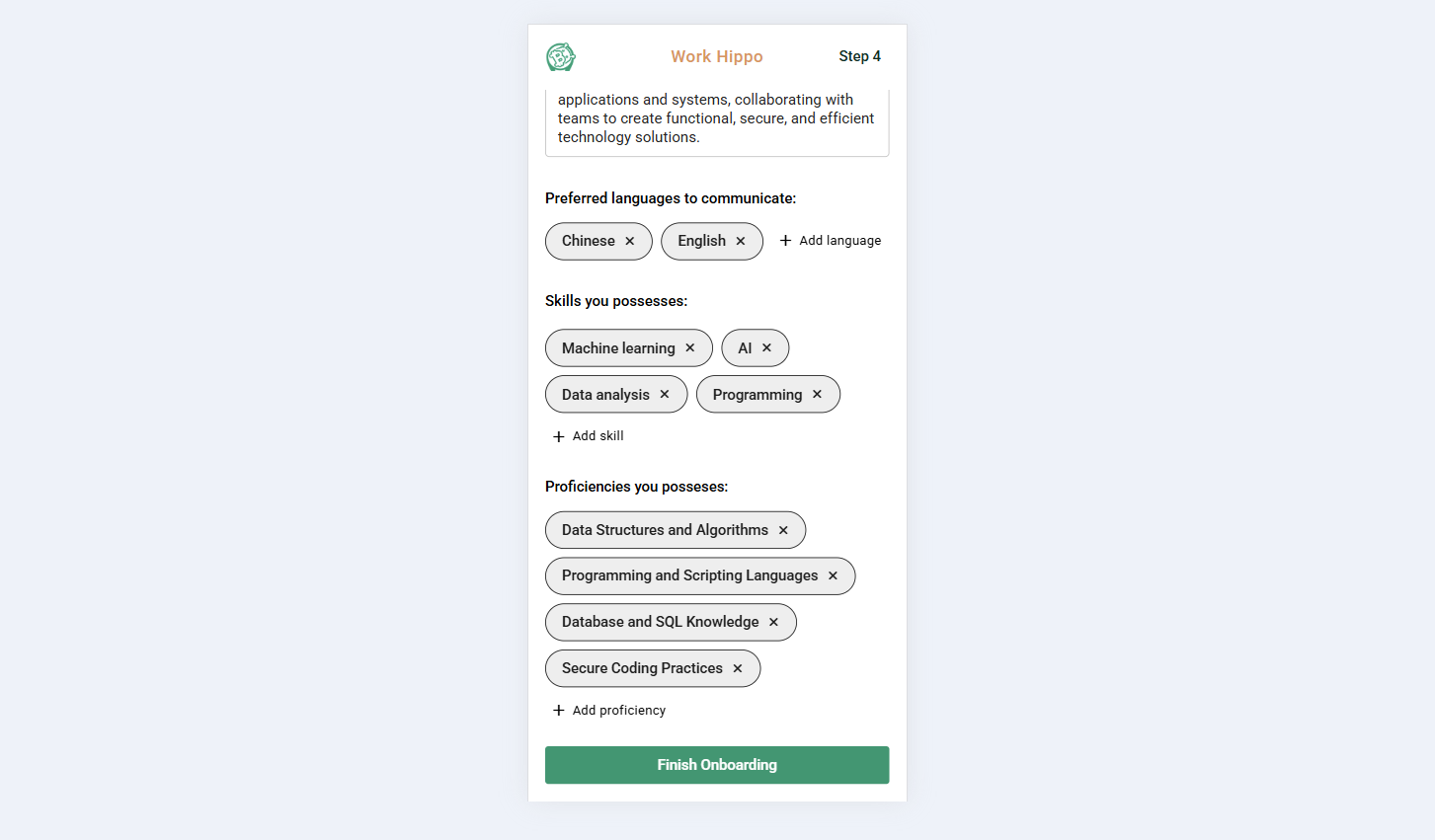
Arbiter-Specific Information
These inputs are required only if the user type is Arbiter:
- Occupation
- Description of Occupation
- Skills You Possess – Multiple selection allowed.
Notes
- Fields marked as multiple selection allow users to choose more than one option.
- The onboarding flow dynamically adapts based on the selected user type to ensure only relevant data is collected.